
Roleplaying
IMIYOO PTE. LTD.
Preview


iPhone, iPad, iPod touch
PlayCash Offer
21 Milestones
Play Abyss Defenders & Earn Multiple Rewards
Install the app. Once the app is installed, return to this screen to confirm that this task is checked off before proceeding with the other tasks.
Version 142 · Nov 17, 2026
About this game
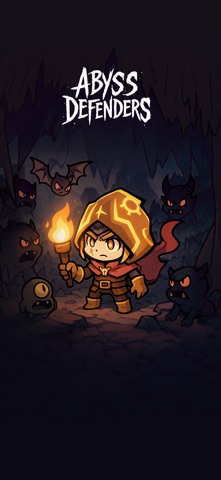
Monsters pour out from the depths, day and night without rest. Are you brave enough to survive the Abyss?
1. Unique Blend of Survivor, Roguelike & Tower Defense
Fight thousands of enemies and wipe them out in seconds. Random skills every run let you build your own unstoppable playstyle.
2. Upgrade Your Tower
Boost attack and critical damage, and unlock laser turrets. Every upgrade determines whether you can survive the next wave.
3. Strategic Hero Team-Building
Mix and match Warriors, Archers, Mages, Necromancers, and more to form your ultimate Abyss squad.
4. **Summon the Ancient Dragon**
Call forth a mighty dragon to fight beside you, scorching entire waves with blazing dragonfire.
5. Maze-Style Map Exploration
Explore multi-layered maps filled with traps, mechanisms, and branching routes for deeper strategic gameplay.
6. Grow Stronger Every Run
Enjoy permanent stat growth, unlock new maps, and become stronger with every challenge.
Ratings & Reviews
What's New
Fixed known bugs
Information
- Seller
- IMIYOO PTE. LTD.
- Size
- 306.3 MB
- Category
- Roleplaying
- Compatibility
- iPhone, iPad, iPod touch
- Languages
- EN
- Age Rating
- 9+
- Version
- 142
- Updated
- Nov 17, 2026
- Requires
- 13.0
1
Install the app. Once the app is installed, return to this screen to confirm that this task is checked off before proceeding with the other tasks.
2
You must hit "Allow" when the app asks to track your activity in order to receive your Points. You must complete this offer in full from install to finish on the same device, changing devices will not result in Points. New installs and players only - if y
All Milestones
21 total · $86.72 max1
Install the app. Once the app is installed, return to this screen to confirm that this task is checked off before proceeding with the other tasks.
Install the app. Once the app is installed, return to this screen to confirm that this task is checked off before proceeding with the other tasks.
Install
$0.00
2
Pass Chapter 1-2 (within 30 days)
Pass Chapter 1-2 (within 30 days)
$0.01
3
Pass Chapter 1-3 (within 30 days)
Pass Chapter 1-3 (within 30 days)
$0.05
4
Pass Chapter 1-5 (within 30 days)
Pass Chapter 1-5 (within 30 days)
$0.16
5
Pass Chapter 2-1 (within 30 days)
Pass Chapter 2-1 (within 30 days)
$0.24
6
Pass Chapter 2-2 (within 30 days)
Pass Chapter 2-2 (within 30 days)
$0.41
7
Pass Chapter 2-3 (within 30 days)
Pass Chapter 2-3 (within 30 days)
$0.53
8
Pass Chapter 2-5 (within 30 days)
Pass Chapter 2-5 (within 30 days)
$0.73
9
Pass Chapter 3-5 (within 30 days)
Pass Chapter 3-5 (within 30 days)
$2.44
10
Pass Chapter 4-5 (within 30 days)
Pass Chapter 4-5 (within 30 days)
$3.67
11
Pass Chapter 5-5 (within 30 days)
Pass Chapter 5-5 (within 30 days)
$4.88
12
Pass Chapter 6-5 (within 30 days)
Pass Chapter 6-5 (within 30 days)
$6.12
13
Pass Chapter 7-5 (within 30 days)
Pass Chapter 7-5 (within 30 days)
$6.85
14
Pass Chapter 8-5 (within 30 days)
Pass Chapter 8-5 (within 30 days)
$7.81
15
Pass Chapter 9-5 (within 30 days)
Pass Chapter 9-5 (within 30 days)
$8.57
16
Pass Chapter 10-5 (within 30 days)
Pass Chapter 10-5 (within 30 days)
$12.22
17
Pass Chapter 11-5 (within 30 days)
Pass Chapter 11-5 (within 30 days)
$24.46
18
Purchase 4990 Rubies (within 30 days)
Purchase 4990 Rubies (within 30 days)
$0.48
19
Purchase 9990 Rubies (within 30 days)
Purchase 9990 Rubies (within 30 days)
$0.98
20
Purchase 19990 Rubies (within 30 days)
Purchase 19990 Rubies (within 30 days)
$2.44
21
Purchase 29990 Rubies (within 30 days)
Purchase 29990 Rubies (within 30 days)
$3.67
Rules
Requirements
- Install the app. Once the app is installed, return to this screen to confirm that this task is checked off before proceeding with the other tasks.
- You must hit "Allow" when the app asks to track your activity in order to receive your Points. You must complete this offer in full from install to finish on the same device, changing devices will not result in Points. New installs and players only - if you've ever installed or played this game, you will not receive Points.
Timing & payout rules
- Category: Mobile Apps.
- Install milestones can be part of the tracked path.
Important to know
You must hit "Allow" when the app asks to track your activity in order to receive your Points. You must complete this offer in full from install to finish on the same device, changing devices will not result in Points. New installs and players only - if you've ever installed or played this game, you will not receive Points.
Availability
- Available in US.