
Entertainment
Simulation, Strategy
Fumb Games Ltd.
Preview





iPhone, iPad, iPod touch
PlayCash Offer
17 Milestones
Complete Multiple Goals to Earn!
Pro Tip: Make in-app purchases to complete goals fast and unlock maximum reward!
Version 3.2.1 · Jun 30, 2026
About this game
Join 7,000,000 people and play the ultimate bitcoin game!
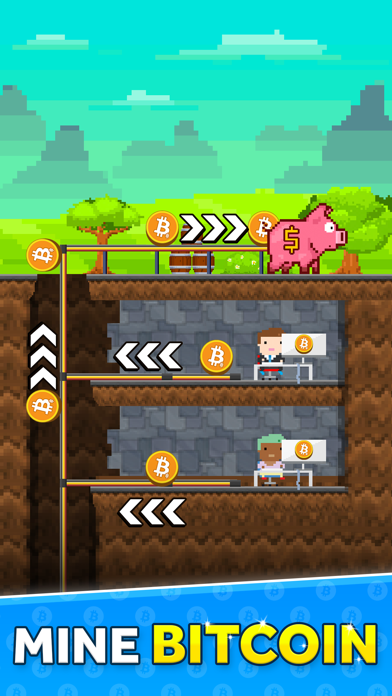
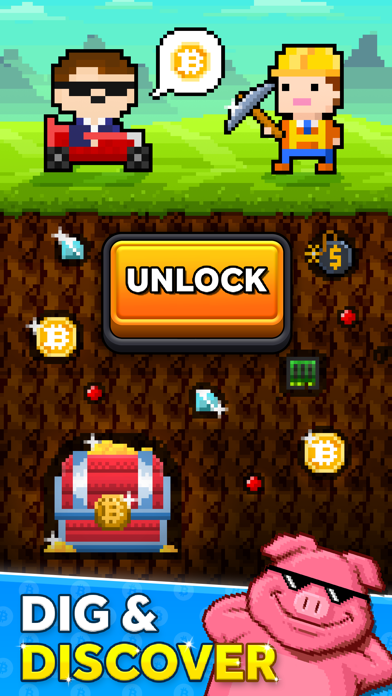
Tap to discover and collect cryptocurrencies! Hire developers to create popular projects and then sell your portfolio for stronger GPUs in this addictive idle tycoon game. Evolve your coins, collect daily drops (airdrops) and invest in research to earn gold and collect as much real bitcoin as possible!
Please note: this game does not use your device to mine bitcoin. We send it from our revenue.
Turn the countryside into a super Bitcoin mining farm venture. Sell your portfolio and reinvest it to become the next Bitcoin Billionaire! This is an idler, so your coins are always earning you $$$, even if you're not in the game!
FEATURES:
• Introducing a new type of idle, clicker or tycoon game that shares revenue with you!
• Start with a pickaxe and turn an old farm into a lucrative crypto mining company!
• Unlock 10 unique cryptocurrencies!
• Visit new worlds and discover their secrets!
• Open daily Airdrops and discover what's inside!
• Constantly earn gold, even if you are offline!
• No Internet Connection required to play!
Got any problems or suggestions with our game? Join our Discord channel here: https://discord.gg/fumbgames
Have fun! Fumb Games x
Legal Notes:
• EULA: https://www.apple.com/legal/internet-services/itunes/dev/stdeula/
• Contains optional in-app purchases (including random items)
• The coins you earn in the game are dummy versions and have no real world value
• Bitcoin rewards & withdrawals operated by a third party
• Bitcoin Miner does not itself provide any cryptocurrency wallet or process any cryptocurrency transactions which are handled by a third party
• Currently, our third party partners do not support withdrawals in New York
• View our Privacy Policy: https://www.fumbgames.com/privacy-policy
Tap to discover and collect cryptocurrencies! Hire developers to create popular projects and then sell your portfolio for stronger GPUs in this addictive idle tycoon game. Evolve your coins, collect daily drops (airdrops) and invest in research to earn gold and collect as much real bitcoin as possible!
Please note: this game does not use your device to mine bitcoin. We send it from our revenue.
Turn the countryside into a super Bitcoin mining farm venture. Sell your portfolio and reinvest it to become the next Bitcoin Billionaire! This is an idler, so your coins are always earning you $$$, even if you're not in the game!
FEATURES:
• Introducing a new type of idle, clicker or tycoon game that shares revenue with you!
• Start with a pickaxe and turn an old farm into a lucrative crypto mining company!
• Unlock 10 unique cryptocurrencies!
• Visit new worlds and discover their secrets!
• Open daily Airdrops and discover what's inside!
• Constantly earn gold, even if you are offline!
• No Internet Connection required to play!
Got any problems or suggestions with our game? Join our Discord channel here: https://discord.gg/fumbgames
Have fun! Fumb Games x
Legal Notes:
• EULA: https://www.apple.com/legal/internet-services/itunes/dev/stdeula/
• Contains optional in-app purchases (including random items)
• The coins you earn in the game are dummy versions and have no real world value
• Bitcoin rewards & withdrawals operated by a third party
• Bitcoin Miner does not itself provide any cryptocurrency wallet or process any cryptocurrency transactions which are handled by a third party
• Currently, our third party partners do not support withdrawals in New York
• View our Privacy Policy: https://www.fumbgames.com/privacy-policy
Ratings & Reviews
What's New
Miners!
We've got a small update with bug fixes and improvements thanks to our awesome Discord and Reddit communities! We are also prepping for the new Checklist Event!
Keep on Mining!
We've got a small update with bug fixes and improvements thanks to our awesome Discord and Reddit communities! We are also prepping for the new Checklist Event!
Keep on Mining!
Information
- Seller
- Fumb Games Ltd.
- Size
- 229.1 MB
- Category
- Entertainment
- Compatibility
- iPhone, iPad, iPod touch
- Languages
- CA, EN, FR, DE, JA, KO, ZH, ES
- Age Rating
- 17+
- Version
- 3.2.1
- Updated
- Jun 30, 2026
- Requires
- 15.0
1
Play Bitcoin Miner: Idle Tycoon
2
Complete each goal listed for a reward
3
Continue playing until you Unlock Row 45 within 60 days of installing
All Milestones
17 total · $309.42 max1
Install
Install
Install
$0.00
2
Unlock Row 5 within 60 days of installing
Unlock Row 5 within 60 days of installing
Within 60 days
$0.30
4
Unlock Row 9 within 60 days of installing
Unlock Row 9 within 60 days of installing
Within 60 days
$1.08
5
Unlock Row 12 within 60 days of installing
Unlock Row 12 within 60 days of installing
Within 60 days
$1.92
6
Unlock Row 15 within 60 days of installing
Unlock Row 15 within 60 days of installing
Within 60 days
$1.44
7
Unlock Row 20 within 60 days of installing
Unlock Row 20 within 60 days of installing
Within 60 days
$4.80
8
Unlock Row 25 within 60 days of installing
Unlock Row 25 within 60 days of installing
Within 60 days
$9.60
9
Unlock Row 30 within 60 days of installing
Unlock Row 30 within 60 days of installing
Within 60 days
$14.40
10
Unlock Row 35 within 60 days of installing
Unlock Row 35 within 60 days of installing
Within 60 days
$24.00
11
Unlock Row 45 within 60 days of installing
Unlock Row 45 within 60 days of installing
Within 60 days
$48.00
12
Unlock Row 8 and make 2 in-app purchases within 3 days of installing
Unlock Row 8 and make 2 in-app purchases within 3 days of installing
Within 3 days
Purchase required
Non-linear
$9.60
13
Unlock Row 16 and make 3 in-app purchases within 12 days of installing
Unlock Row 16 and make 3 in-app purchases within 12 days of installing
Within 12 days
Purchase required
Non-linear
$19.20
14
Unlock Row 28 and make 4 in-app purchases within 25 days of installing
Unlock Row 28 and make 4 in-app purchases within 25 days of installing
Within 25 days
Purchase required
Non-linear
$38.40
15
Unlock Row 40 and make 5 in-app purchases within 45 days of installing
Unlock Row 40 and make 5 in-app purchases within 45 days of installing
Within 45 days
Purchase required
Non-linear
$76.80
16
Make 10 Purchases within 30 days of installing
Make 10 Purchases within 30 days of installing
Within 30 days
Purchase required
Non-linear
$48.00
17
Withdraw your First Bitcoin within 10 days of installing
Withdraw your First Bitcoin within 10 days of installing
Within 10 days
Purchase required
Non-linear
$1.08
18
Purchase Subscription within 10 days of installing
Purchase Subscription within 10 days of installing
Within 10 days
Purchase required
Non-linear
$10.80
Rules
Complete within 60 daysRequirements
- Must be a new user. Install required for eligibility.
- Must complete within 60 days
- Internet Connection Required. VPN Use Prohibited.
- Rewards may be subject to 24 hour delay
- You must “Allow” the app/game to track your activity to earn rewards
Timing & payout rules
- Complete the offer within 60 days of starting.
- Difficulty: 7.
- Category: games_casual_general.
- Some milestones must be completed within 3 days.
- Some milestones must be completed within 10 days.
- Some milestones must be completed within 12 days.
- Some milestones must be completed within 25 days.
- Some milestones must be completed within 30 days.
- Some milestones must be completed within 45 days.
- Some milestones must be completed within 60 days.
- Some milestones may require an in-app purchase.
- Install milestones can be part of the tracked path.
- Milestones may unlock outside a strict linear order.
Important to know
New Users Only!, Must complete within 60 days after installing
Availability
- Available in United States.