Capital One Shopping: Save Now
Open the app, register, add the safari toolbar extension, allow on every site and make a purchase.
Lifestyle
Shopping
Wikibuy, LLC
Preview




iPhone, iPad, iPod touch
PlayCash Offer
1 Milestones
Open the app, register, add the safari toolbar extension, allow on every site and make a purchase.
Version 2.166.0 · Nov 23, 2026
About this game
100% free for everyone – no Capital One bank or credit card account required! Get free automatic coupons and exclusive savings on the go.
Bonus will be awarded as Capital One Shopping Rewards. Rewards will be issued within 30 days of completing all sign up bonus requirements but may take longer in some cases. Additional terms apply.
AUTOMATICALLY APPLY COUPONS
- The free tool works in the background to find coupons and promo codes
- It then automatically applies coupons and promo codes at checkout
EARN FREE SHOPPING REWARDS
- Earn rewards when you shop at your favorite stores
- Redeem rewards for gift cards!
COMPARE PRICES
- The app looks for a better price on the items you are searching for
- Includes shipping and handling when finding a better deal
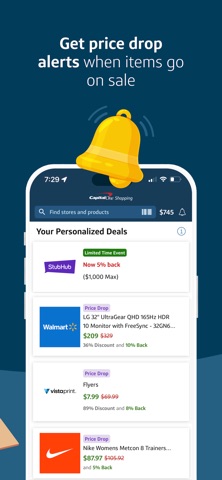
GET NOTIFIED OF PRICE DROPS
- You'll be notified when items you want go on sale or are found elsewhere for less
SAVE IN SAFARI
- Save on the Web, too!
- Add to Safari and get free automatic coupons and rewards
Over 10 million people globally save with Capital One Shopping! Join this exclusive club today for free!
Ratings & Reviews
What's New
Performance improvements.
Information
- Seller
- Wikibuy, LLC
- Size
- 178.8 MB
- Category
- Lifestyle
- Compatibility
- iPhone, iPad, iPod touch
- Languages
- EN
- Age Rating
- 17+
- Version
- 2.166.0
- Updated
- Nov 23, 2026
- Requires
- 16.6
1
Open the app, register, add the safari toolbar extension, allow on every site and make a purchase.
2
Open the mobile app, register, add the safari toolbar extension within the app, clicks “allow on every site” and make a purchase.
3
You must allow the toolbar extension WITHIN the app and make a purchase.
All Milestones
1 total · $4.00 maxMilestone details will appear here when this title has tracked PlayCash reward steps.
Rules
Requirements
- Open the app, register, add the safari toolbar extension, allow on every site and make a purchase.
- Open the mobile app, register, add the safari toolbar extension within the app, clicks “allow on every site” and make a purchase.
- You must allow the toolbar extension WITHIN the app and make a purchase.
Timing & payout rules
- Category: E-commerce.
Important to know
You must allow the toolbar extension WITHIN the app and make a purchase.
Availability
- Available in US.